Classes |
Public Types |
Public Member Functions |
Static Public Member Functions |
Public Attributes |
Properties |
Events |
List of all members
Scentient.ScentientDevice Class Reference
Use this component to connect to the Scentient eScents peripheral. Add to your scene, and configure to your needs. More...
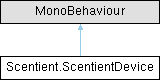
Inheritance diagram for Scentient.ScentientDevice:
Classes | |
| struct | PodInfoStruct |
| class | ScentMessage |
| struct | ScentMessageStruct |
Public Types | |
| enum | States { None , Scan , ScanRSSI , ReadRSSI , Connect , RequestMTU , Subscribe , Unsubscribe , Disconnect , Ready } |
Public Member Functions | |
| short | GetScentLevel (int channel) |
| void | Scan () |
| void | Connect (string device) |
| void | Reconnect () |
| async Task< string[]> | GetChannelScentNamesAsync () |
| string[] | GetChannelScentNames () |
| void | Disconnect () |
| void | SendScentMessage (byte channel, byte intensity, UInt16 duration) |
| Emits a scent from one of the 4 scent emitters, with the provided intensity and duration. | |
| void | SendScentMessage (int channel, float intensity, float duration) |
| bool | EmitScent (string scentName, float duration) |
| Emits a scent for a fixed period of time. Any scent being emitted can be stopped by calling this method with a duration of 0. | |
| bool | EmitScent (string scentName, float intensity, float duration) |
| void | SendScentMessage (ScentMessage scentMessage) |
| Dictionary< short, string > | GetScentDict () |
| void | SetChannelScent (int channelToSet, short scentId) |
| void | Identify () |
Static Public Member Functions | |
| static void | Forget () |
Public Attributes | |
| UnityEvent | OnConnectedEvent |
| readonly ScentTable | scentTable = new ScentTable() |
| bool | autoRequestPermissionsOnConnect = true |
| When Connect is called, the attempt to connect is defered, and the runtime permissions dialog presented to the user is neccessary. | |
| bool | persistenAcrossScenes = false |
| If communication with the Scentient peripheral is required across scenes, enable this property. | |
Detailed Description
Use this component to connect to the Scentient eScents peripheral. Add to your scene, and configure to your needs.
Member Function Documentation
◆ EmitScent() [1/2]
|
inline |
Emits a scent for a fixed period of time. Any scent being emitted can be stopped by calling this method with a duration of 0.
- Parameters
-
scentName The name of the scent, can include spaces, should be one of the names in the following table https://api.scentient.tech/scent-table_en.csv duration duration in seconds
- Returns
◆ EmitScent() [2/2]
|
inline |
- Parameters
-
scentName The name of the scent, can include spaces, should be one of the names in the following table https://api.scentient.tech/scent-table_en.csv intensity Value from 0 to 1 duration duration in seconds
- Returns
◆ SendScentMessage() [1/2]
|
inline |
Emits a scent from one of the 4 scent emitters, with the provided intensity and duration.
- Parameters
-
channel channel value 1-6 intensity value between 0-255, 0 being off duration in milliseconds
◆ SendScentMessage() [2/2]
|
inline |
Emits a scent from one of the 6 scent emitters, with the provided intensity and duration
- Parameters
-
channel channel value 1-6 intensity value between 0-255, 0 being off duration in milliseconds
The documentation for this class was generated from the following file:
- Runtime/ScentientDevice.cs
Generated by
 1.11.0